 MetalSharp
Windows → Metal
MetalSharp
Windows → Metal
01
Direct Metal
DXMT
The default route for most titles: D3D9, D3D10, and D3D11 translated straight to Metal, with no Vulkan hop.
- D3D11 / D3D10 / D3D9
- DXMT
- Metal
A free macOS app for running Windows games on Apple silicon. Keep each title in one library, then choose the graphics route that fits it.
brew install --cask metalsharp/tap/metalsharp
Signed release · installs to /Applications
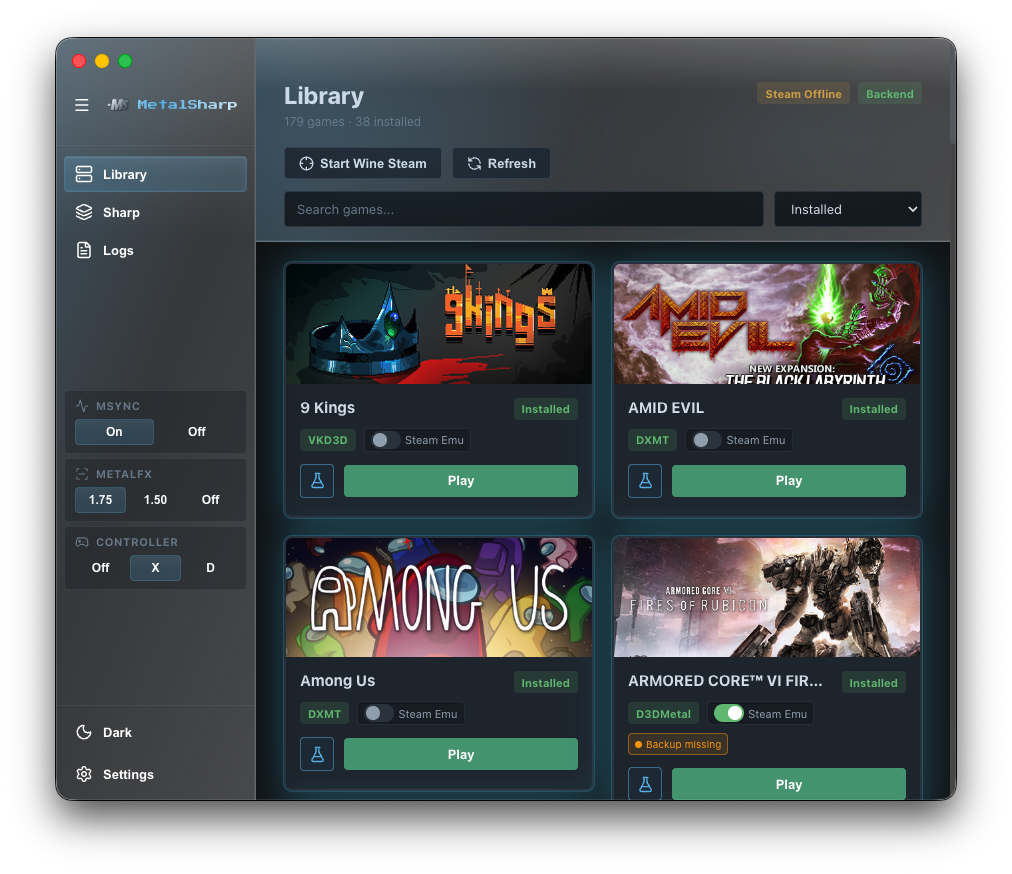
Try the real interface before installing. Browse the library, inspect a game's route, or open Logs and Settings — nothing launches on your Mac.
Easily change artwork, launch options, and settings all within one interface.
Not sure where to start? Check the compatibility notes for your title first. These five public routes show the paths behind each choice.
The default route for most titles: D3D9, D3D10, and D3D11 translated straight to Metal, with no Vulkan hop.
For older 32-bit titles and dependencies: the same DXMT translation in a dedicated 32-bit / i386 prefix.
For titles that run best through Vulkan: D3D9 through D3D12 via VKD3D-Proton, the bundled Vulkan surface, and MoltenVK.
For titles that need Apple's D3DMetal: the managed GPTK 4 beta 2 payload with Wine 11.17 and the shared Steam prefix.
For XNA, FNA, and MonoGame titles: native Mono, staged assemblies, native libraries, and Steamworks shims — not Wine.
Once you know what you need, use the docs for setup steps, compatibility notes, and runtime detail.
Install, launch, diagnose, and repair a game's setup.
Choose a routeSee how game environments, MTSP routing, Wine, and graphics runtimes fit together.
CompatibilityRead tested titles, working routes, and notes from real launch evidence.
Deep diveTrace VKD3D, DXMT, and native Mono/FNA boundaries.
RecoverySet up the separate Apple Game Porting Toolkit route and repair its prefix.
SourceBrowse the source workflow, release notes, and the complete generated docs map.
MetalSharp is free to inspect, improve, and discuss on GitHub.
Download MetalSharp 0.75.0 for Apple silicon Macs, or explore the source and docs first.
You can browse the Library, inspect route and bottle states, and open Logs or Settings. It is a deterministic browser simulation: it does not launch a native game or install MetalSharp.
Start with the public route notes and compatibility evidence. MetalSharp keeps route selection per game because D3D12, D3D11, D3D10, D3D9, GPTK, and Mono/FNA titles do not share one universal path.
Yes. The matched GPTK 4 beta 2 D3DMetal payload is managed with the MetalSharp runtime. The Wine architecture guide explains the route and its shared Steam prefix.
Use GitHub Issues for a reproducible bug and Discussions for questions, route observations, or setup help.